Text to Handwriting Converter
Type your text, pick a hand, and download a page that looks written, not printed.
More options
This tool turns typed text into a page that looks handwritten. Paste your homework, a letter, or notes, pick a handwriting style and a paper, and download a PDF or PNG in seconds. It works for school assignments, practice sheets, and personal notes you want on paper instead of a screen.
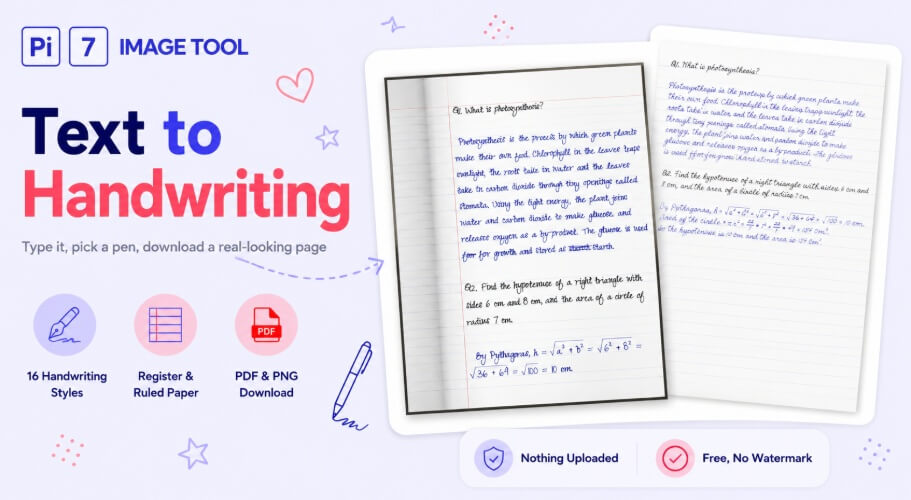
Type the Text, Pick a Hand, Download
- Paste your text: Type it in or paste it from a document. Each new line starts a new paragraph.
- Pick a handwriting style and paper: Choose from 16 styles and papers like ruled register, legal pad, or grid.
- Check the preview: The page on the right updates as you type. Flip through pages if your text runs long.
- Download: Save as one PDF with all pages, or as separate PNG images.
Why It Looks Written, Not Typed
Most text-to-handwriting pages just drop a font on a picture of paper. This one draws every letter from pen strokes, with a pressure model behind it. Downstrokes come out heavier, ink pools where the pen pauses, and a fast stroke can skip dry in places, the way a real ballpoint does.
Each letter also gets warped a little, so the same word never looks identical twice on a page. Turn on Corrections and the tool adds a few real slips. A word gets struck out and written again, or a forgotten word is squeezed in above the line with a caret. Keep the slider between 20 and 30 for a natural amount, not a messy page.
Small layout details finish the effect. The left margin drifts slightly and lines tilt a little. Now and then the last word on a line gets squeezed against the edge, like a hand running out of space.
Ruled Register, Legal Pad, or Your Own Paper
Pick the single page register for a classic ruled page with a red margin and a double line at the top. That is how Indian exercise books are printed. The double page register shows the full open spread, two pages on one sheet, which suits a scanned-assignment look. You also get a loose ruled sheet, US college ruled paper, a yellow legal pad and a spiral notebook, plus plain, grid and dotted pages.
Do not see your paper on the list? Upload a photo or scan of your own sheet and the tool fits the text to its shape, landscape included. Switch on the Photo effect for a page that looks shot on a desk, with a wood, marble or cloth background and a slight tilt. Shadow and Scanned give a flatter look. If a portal wants the finished page under a size limit, run the PNG through our image compressor first.
Hindi and Basic Maths
Two of the sixteen styles, Kalam and Dekko, write Devanagari alongside English. A mixed Hindi-English page comes out in one consistent hand.
Maths is typed as LaTeX, the plain-text code that maths sites and textbooks use. Type \sqrt{16} = 4, \frac{22}{7} or x^2 in the box and the pen draws the root sign, the fraction bar and the power itself. Search "LaTeX math symbols" for the code of any symbol you need, from \pi to \infty.
Greek letters, arrows and signs like \le, \ge and \ne work too. A page of algebra or physics notes reads correctly instead of showing raw code.
Nothing Is Uploaded
Every page is drawn on your device. Your text and the finished pages never leave your browser, so there is no server that ever sees your homework or your letter. The only network traffic is the handwriting fonts and stroke files, loaded once from Google Fonts and from Pi7 so the styles render correctly.
Tips for a Better Page
Keep Corrections between 20 and 30 for a page that looks like real practice, not a scribbled mess. On a ruled register, a size of 18 to 22 sits neatly inside the 7.5 mm lines. For a page that looks shot on a phone, turn on the Photo effect and pick a register paper.
Choose PNG if you plan to send the page over WhatsApp, since it opens straight into an image viewer. Choose PDF for email or printing, since it keeps every page together in one file. Need a photo turned into a document instead? Our image to PDF tool does that, and the JPG to PDF under 150KB page keeps it small enough for upload forms.
FAQ
Is it free, and does the download have a watermark?
Yes, it is free, with no signup and no watermark on the PDF or PNG.
Can a teacher tell this is not handwritten?
The output is an image, not ink on paper. Treat it as a tool for practice, drafts, notes and fun, not as a way to fake an assignment.
Does Hindi work?
Yes. Pick the Kalam or Dekko style and Devanagari text renders alongside English in the same hand.
Can I use my own handwriting?
Yes. Upload a .ttf or .otf font file of your own handwriting under More options and the tool writes with it.
Does it work on my phone?
Yes. The editor, preview, and download all work on phone browsers as well as desktop. Need a quick signature instead of a full page? Try the signature generator.