Crop Image Online
This tool crops a photo right in your browser. Select an image, drag the box over the part you want, and press Crop & Download. The cropped file is ready in seconds. It works with JPG, PNG, WebP, and HEIC on any phone or computer.
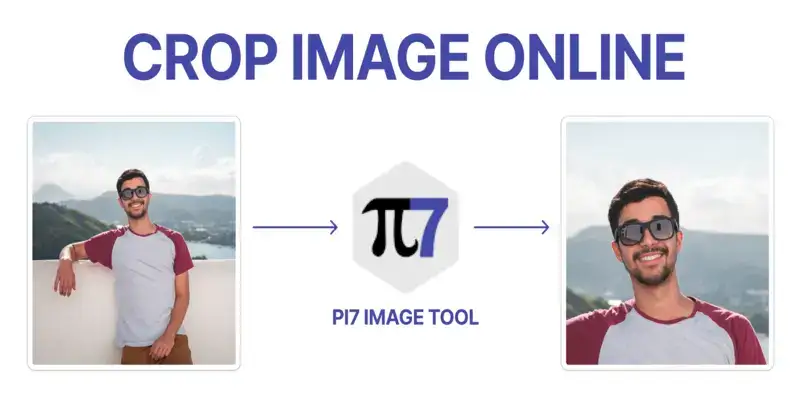
Crop a Photo in Three Quick Steps
- Select: Pick an image or drag it into the box above.
- Adjust: Drag the corners until the box covers what you want to keep. Turn on Maintain Aspect Ratio to lock the shape while you drag.
- Download: Press Crop & Download. The cropped image saves straight to your device.
There is no signup, no watermark, and no limit on how many photos you crop. You can also add a colored border to the result before you download it. On a phone, the same steps work with touch. Drag the box with one finger and pinch the photo to zoom. The buttons are large enough to hit with a thumb.
How Do I Crop a JPG Without Losing Quality?
Cropping removes the pixels outside the box and keeps the rest untouched. A face that was sharp before the crop stays exactly as sharp after it. The tool saves your JPG once, at high quality, so there is no visible change. The cropped file is usually smaller too, because it holds fewer pixels. As a rough guide, cropping away half of a 4 MB photo leaves a file near 2 MB. If your photo has a transparent background, use the PNG crop tool instead. It keeps the transparency intact while this page saves flat images.
Which Crop Shape Fits Each Use?
The crop box here is free. You can drag it to any shape you need. These are the shapes most uploads ask for. Portals for exams and job forms usually state the exact shape in their upload rules.
| Ratio | Example size | Used for |
|---|---|---|
| 1:1 | 1080 x 1080 px | Instagram posts, profile photos |
| 4:5 | 1080 x 1350 px | Instagram portrait photos |
| 16:9 | 1280 x 720 px | YouTube thumbnails, presentations |
| 9:16 | 1080 x 1920 px | Stories and Reels |
| 3:4 | 600 x 800 px | Document and ID photos |
Need a round avatar instead of a rectangle? The circle crop tool cuts a perfect circle with transparent corners. And when you want to cut along the outline of an object, the freehand crop tool lets you draw the edge yourself.
Your Photo Never Leaves This Tab
Cropping here is private by design. The whole crop happens inside your browser. Your photo is never uploaded to any server, so there is nothing for us to store, scan, or delete. Close the tab and every trace is gone. A bonus of this design is speed. Even on a slow connection, the crop is instant because nothing transfers.
FAQ
Does cropping reduce image quality?
No change you can see. The pixels inside the crop box keep their original resolution. The tool saves the file once, at high quality.
Can I undo a crop?
Press Select Another Image and start again. The original file on your device is never changed, so nothing is lost.