Image to Word Converter
Turn a photo or scan into an editable Word document, free, in over 100 languages.
Drag the box to keep only the text you want, or leave it as it is to read the whole image.
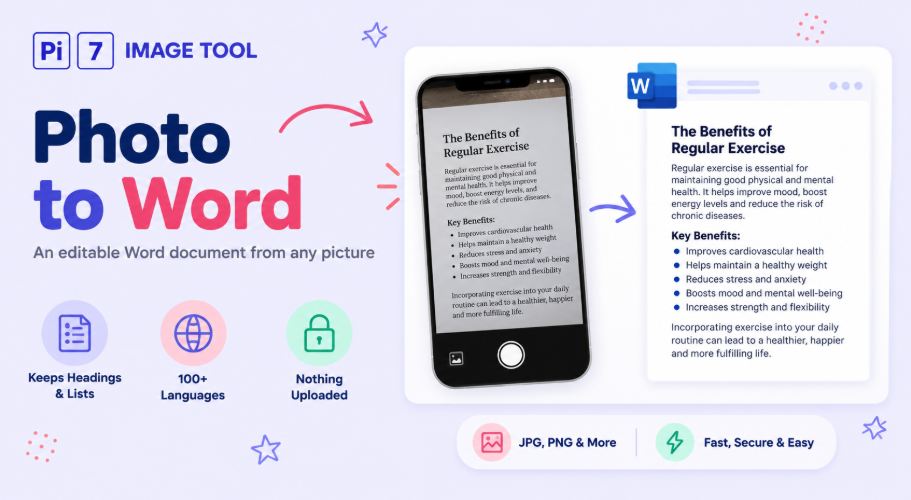
This image to word converter turns a photo of a document into a Word file you can edit. It keeps the shape of the page, so the .docx opens looking like the picture, not a wall of plain text. Headings stay big and bold, lists stay lists, and centered lines stay centered.
How to Turn a Photo Into a Word Document
- Add the picture: Upload it, drag it in, paste a screenshot with Ctrl+V, or tap "Take a photo" on your phone. JPG, PNG, WebP and HEIC all work.
- Crop and pick a language: Drag the box around the text you need, rotate a sideways shot, and choose up to 3 languages from more than 100.
- Press Convert To Word: The reader loads once, then works on your device from then on.
- Check and download: Fix any word by hand in the result box, then press Download Word File.
What Carries Over From the Picture
Most tools give you back one long block of plain text. This one reads the layout too, and rebuilds it in the Word file:
- Headings come out bigger and bold, and show up in Word's navigation pane.
- Bullet points and numbered lists become real Word lists. A list that starts at 7 in the photo still starts at 7 in the file.
- Centered titles stay centered, and a date on the right stays on the right.
- Lines that wrap in the photo join back into one paragraph, so the text flows again when you edit it.
- Small print like captions stays small.
An honest note on limits: colors, italics, underlines and tables do not carry over yet. For a receipt or a form with columns, tick "Keep layout" and the on-screen text keeps its spacing for copying.
A Real Word File, Not Renamed Text
The download is a proper .docx, which is the jpg to word format people usually need for forms and offices. It opens in Word, Google Docs, LibreOffice, and the free viewers on any phone.
You are never stuck with the reader's first guess either. The result box is editable before you save. Words the reader was not sure about come highlighted, so they are easy to check.
Your Photo Stays With You
The picture and the Word file are both made on your device, and nothing is uploaded. Even the reading engine comes from our own server as a one-time download of about 4 MB, cached after the first run. Close the tab and no copy of your document exists anywhere but your phone or computer.
FAQ
Is it free, and is there a watermark?
Yes, it is free with no signup, and the Word file carries no watermark.
Does the formatting really carry over?
Headings, lists, alignment and paragraphs do. Colors, italics and tables do not, so a very designed page comes out simpler than the original.
Does it read handwriting?
It is built for printed and typed text. Handwriting comes out rough, so check every word before you trust it.
Can I use it on my phone?
Yes. Tap "Take a photo" to shoot the page with your camera, crop it, and download the Word file right there.
If you only need the plain text, without a document around it, the image to text tool is the lighter option. A photo of a receipt or note reads best through JPG to text. If the form wants a PDF instead of Word, use image to PDF.