Add White Background to Photo - Free, Pure White JPG
Change any photo background to pure white in a few seconds. The person or product is cut out for you and saved as a full-size JPG. Free, no signup.
To add a white background to a photo, select the photo above. The tool finds the person or product, takes away everything behind it and fills that space with pure white. You do not draw or trace anything. It takes a few seconds, and Download saves a JPG at the same pixel size as your photo.
The white is real white, not light gray. The tool fills the background with RGB 255, 255, 255, the value screens use for pure white. Your subject is not made smaller either. Only a small copy of the photo is used to find the outline, and the white is then added to your own full-size picture on your device. A 4000 x 3000 test picture, the 12-megapixel size many phone cameras save, came back as a 4000 x 3000 JPG in about 2 seconds on a broadband connection.
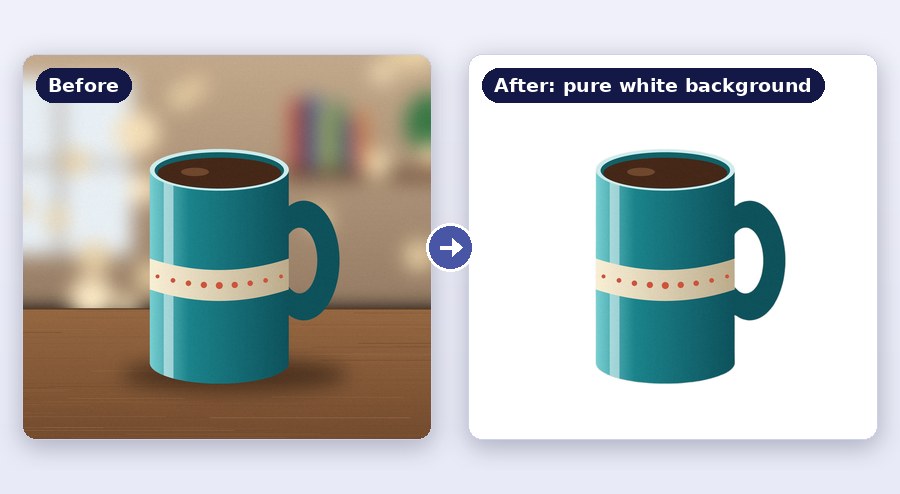
How to change a photo background to white
- Select Photo, or drag a photo onto the page. JPG, PNG and WebP pictures all open.
- Wait a few seconds. White is already selected under Background Color, so your photo appears on white by itself.
- Download. The photo is saved to your phone or computer as a JPG with a white background.
- + Upload New Image starts the next photo. The tool works on one photo at a time.
The tool runs in the browser on a phone or a computer, so there is no app to install.
What you get: a pure white JPG at full size
| Background | Pure white: RGB 255, 255, 255, written #FFFFFF as a color code |
|---|---|
| File type | JPG, saved at 92% quality |
| Pixel size | The same as your photo, up to 16 megapixels |
| Your subject | Keeps its own pixels. Only the background changes |
| Price | Free. No signup and no watermark |
A photo taken against a white wall almost never reaches pure white. Walls come out gray or cream in a photo, and shadows make one side darker than the other. Here the tool fills the background in, so it is one even white from corner to corner.
Photos up to 16 megapixels (16 million pixels) keep their exact size. Bigger ones are made a little smaller so that phones can handle them: a 6000 x 4000 photo is saved at 4899 x 3266. Plain white takes very little space in a file, so the result is often smaller in KB than the original. In our test, a 12-megapixel picture of 4 MB came out as an 861 KB JPG.
Where do you need a white background on a photo?
Product photos for online shops. A white background keeps the buyer's eye on the product and makes a page of listings look tidy. Amazon asks for a pure white background, RGB 255, 255, 255, on the main product image, with the product filling at least 85% of the picture. This tool gives you the pure white. If your product looks small in the frame, crop the photo first so it fills more of the picture. Other shopping sites have their own rules, so read the seller help page before you upload.
Profile and CV photos. A white background hides a messy room and looks neat on a CV, a staff page or a LinkedIn profile.
Photos for forms. Many job, exam and ID forms ask for a photo on a white or light background. The next part explains when an edited photo is fine and when it is not.
Can you change a picture background to white for a passport or visa photo?
It depends on who checks the photo. Many offices ask for a plain white or off-white background. If your form only asks for a white background and does not ban edited photos, a photo from this tool meets that rule. Some offices do not accept an edited photo at all. The US State Department says you must not change your passport photo with computer software, phone apps, filters or AI, so a changed background is not allowed there. For a photo like that, stand in front of a plain white wall or sheet and take the picture again.
Read the photo rules of your form first. If an edited photo is allowed, you may also need an exact size. The passport size photo with white background tool makes the background white and crops the photo to your country's size.
How do you get a clean edge around hair and products?
The tool uses an AI model that looks for the main subject of the photo, such as a person or a product. It works best when the subject is sharp, well lit and a different color from what is behind it.
- Loose hair, fur, glass and thin straps are the hardest parts. A plain wall behind them helps a lot.
- A white shirt or a white product in front of a pale wall can lose part of its edge. Use a darker backdrop for the photo.
- A shadow on the floor or table goes away with the background, so a product can look as if it is floating.
There is no brush for fixing the edge by hand. If the cut is not right, take the photo again against a plainer background and run it once more. The outline is found on a copy of at most 1000 pixels. On a very large photo the edge can look slightly soft when you zoom all the way in. At normal viewing size you will not notice it. Pictures under 80 pixels wide or tall are too small for the tool.
Other colors, a transparent PNG and white borders
White is only the starting choice. Tap any color square under Background Color, or the color picker for a shade of your own, such as light blue for an ID photo. The red circle takes the color away: the background turns transparent and Download saves a PNG instead of a JPG. If a cut-out with no background is all you need, the background remover opens with no color selected.
If you only want white space around the whole photo, like a frame, add a white border to the photo instead.
Where your photo goes while the background changes
A small copy of your photo, at most 1000 pixels on its longer side, is sent to our server over a secure HTTPS connection. An AI model there finds the outline of the person or product and sends it back. Your full-size photo stays in your browser, and the white background is added there, on your own phone or computer. The copy is used only to find that outline. The server then deletes the copy and the cut-out by itself. In our two checks, both were gone 30 to 35 minutes after the upload. There is no account, and we do not ask for your name or email. A PNG that already has a transparent background is not sent at all.
Frequently Asked Questions
Is the background really pure white?
Yes. The tool fills the background with RGB 255, 255, 255 (#FFFFFF). We opened the JPGs from our tests and checked the corners and edges of the picture: every one read 255 for red, green and blue. Right next to the subject, a JPG always has a thin band of mixed pixels. That is normal for the JPG format.
Does changing the background to white lower the photo quality?
The pixel size stays the same up to 16 megapixels, and the person or product keeps its own pixels. The file is saved once more as a JPG at 92% quality, which is hard to tell apart from the original.
Can I add a white background to a transparent PNG?
Yes. If the PNG is already transparent, the tool only puts white behind it and saves a JPG. Nothing is cut. A PNG photo with a normal background is handled like any other photo.
Can I change many photos at once?
The tool takes one photo at a time. When a photo is done, tap + Upload New Image and select the next one. If you send many photos within one minute, the tool asks you to wait a minute before the next.
How do I make the white background photo smaller for a form?
Forms often set a limit such as 50 KB. Download your photo here first, then bring it under the limit with reduce image size in KB.