Passport Size Photo With White Background
Change any photo to a plain white background, sized to your country's passport or visa form.




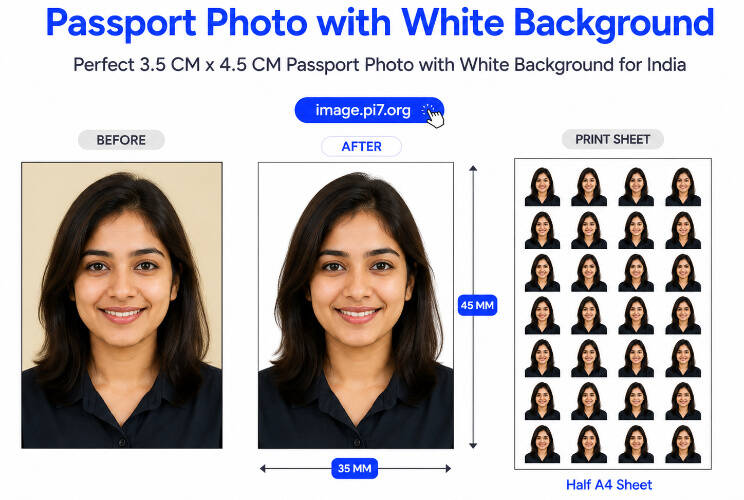
Pi7 turns any photo into a passport size photo with a white background. Upload a photo, pick your country's size, and the tool crops your face, swaps the background for plain white, and has it ready to upload or print in a minute.
Why Do Passport Photos Need a White Background?
Most passport and visa rules call for a plain white or off-white background. It gives clean, even contrast against your face, so scanners and photo checks read the image correctly. India's Passport Seva portal sets white as the default, and the rule carries into exam admit cards like UPSC, SSC, and banking forms. The USA, the UK, and most of Europe follow the same rule.
How to Change Your Photo Background to White in 3 Steps
Three steps, every time:
- Crop: Upload your photo and pick a size preset, from India's 3.5 x 4.5 cm to the USA's 2 x 2 inch, or set a custom size in cm, mm, inch, or px. Frame your face in the crop box, then press Next.
- Background: The tool removes your background and fills it with plain white. Press Back to redo the crop, or Next when it looks right.
- Download: Save the single photo for an online form, or grab the printable sheet with several copies for a local print shop.
Which Documents Need a White Background Photo?
The size you need depends on your form. Choose 3.5 x 4.5 cm (35 x 45 mm) for India, Australia, Europe, the UK, or Pakistan. Choose 2 x 2 inch (51 x 51 mm) for the USA or the Philippines. Choose 3.5 x 5 cm (35 x 50 mm) for Malaysia. Each preset defaults to 300 DPI. Need a different size? Switch to custom and enter cm, mm, inch, or pixels.
Not every form wants white. If yours calls for a different shade, the passport photo tool sets any color you pick, and two shades already have their own pages: blue background passport photos and red background passport photos.
Can I Use a Photo Taken at Home?
Yes. A phone photo works fine once the tool swaps out the background. Face a window so light falls evenly, and avoid a light source behind you. The wall or garden behind you does not matter, since the tool replaces it with plain white. Keep a neutral expression and pull loose hair off your face.
Your Uploaded Photo Is Deleted Fast
Removing a background needs a real upload, not a trick. Your photo travels to our server over an encrypted HTTPS connection so the background removal can run, then we delete it automatically within 20 minutes. We never keep copies, sell the image, or reuse it beyond building your photo.
Common Questions About White Background Photos
Does the tool work for a US visa photo?
Yes. Pick the 2 x 2 inch preset, and the file matches the size US visa and passport forms ask for.
Will the white the tool uses pass strict checks?
Yes. The tool fills the background with pure white (#ffffff), the shade every passport and visa office accepts.
Can I print the photo myself?
Yes. Download the printable sheet from the Download step and take it to any print shop, or print it at home on photo paper.