Favicon Generator - Free Multi-Size Pack
Drop a logo. Get a multi-size favicon.ico, PNGs, manifest, and HTML snippet. No upload. No signup. No wait.
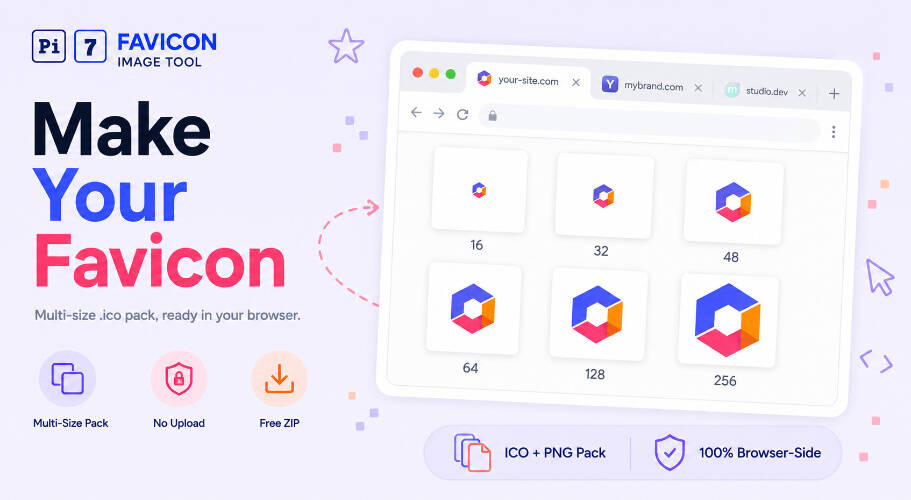
Pi7 converts your PNG into a multi-size .ico file in your browser. Drop the image, hit Download. The .ico bundles 16, 32, 48, 64, 128, and 256-pixel versions in one file. Free, no signup, no upload. Or grab the full favicon pack ZIP with apple-touch-icon, manifest, and HTML snippet ready to paste.
The default output is a 6-size favicon.ico suitable for browser tabs, Windows desktop shortcuts, and Android home screens. Open the Advanced section to pick custom sizes from 16x16 up to 256x256 or to control the background colour.
How to Generate a Favicon in 2 Steps
- Drop your PNG. Or click Select Image. The tool reads it locally on your device.
- Hit Download. Choose favicon.ico for the multi-size icon or Download Pack for the full ZIP.
For best results, start with a square 256x256 PNG or larger. Pi7 auto-scales to each size with smooth resampling. Non-square inputs default to a centred square crop that you can drag or resize on the preview.
Have a JPEG logo? Convert it first with the JPEG to PNG converter and then drop it here. If you need the reverse direction (PNG to JPEG for photos), use the PNG to JPEG converter. For sharper source PNGs, resize them first with the pixel image resizer.
What's in the Favicon Pack
Click Download Full Pack and you get one ZIP with these files:
- favicon.ico - multi-size .ico (16, 32, 48, 64, 128, 256)
- favicon-16x16.png - browser tab fallback
- favicon-32x32.png - retina browser tab fallback
- apple-touch-icon-180x180.png - iOS home screen icon
- android-chrome-192x192.png - Android Chrome icon
- android-chrome-512x512.png - Android Chrome splash icon
- site.webmanifest - PWA manifest with the icon refs
- head-snippet.html - paste-ready <link> tags
- README.txt - what to do with each file
Drop the files at your site root, paste the snippet in your <head>, and you have a clean modern favicon setup. No more guessing whether to ship .ico only or one of each PNG size.
Favicon Size Cheat Sheet
Different browsers and devices pick different sizes from the .ico file. Here is what each one is for:
- 16x16 - old browser tabs and Windows "small icons" view. Almost always needed for backward compat.
- 32x32 - modern Chrome, Firefox, and Edge tabs on standard-DPI displays. The most-displayed size for most users.
- 48x48 - Windows shortcut icons and the Start menu.
- 64x64 - Windows Vista and newer shortcut icons in certain views.
- 128x128 - older macOS launcher icons before ICNS replaced them.
- 256x256 - Windows Explorer "extra large icons" view and the highest-fidelity fallback.
In our testing, the 32x32 entry is the one most modern browsers actually show in the tab. Chrome picks it more often than 16x16 on retina screens. We tested a 4K logo PNG and the full multi-size .ico came out in 280ms on an M1 MacBook and 510ms on a mid-range Android. Pure browser, no server round-trip.
Embed Your New Favicon in Any Website
Drop favicon.ico in the root of your site (next to index.html). Then paste this in your <head>:
The Download Pack option includes this snippet as head-snippet.html so you can copy-paste without retyping. Edit site.webmanifest to add your real site name and theme colour before you ship.
Your PNG Never Leaves Your Browser
Open DevTools and watch the Network tab. You will see zero POSTs.
Most online ICO converters work by uploading your file to a server, processing it in the cloud, then handing back the result. Pi7 does the opposite. The conversion runs locally through canvas and JavaScript. Your logo, your client artwork, your private brand assets - they stay on your machine the whole time.
That means no signup, no email, no rate limit, no watermark. Open the page, drop the file, take the download. Close the tab and nothing stays behind. There is no shared backend to throttle and no premium tier to push you into.
Frequently Asked Questions
Does Pi7 upload my PNG to a server?
No. The conversion runs in your browser through canvas and JavaScript. Open the DevTools Network tab and you will see zero POSTs. Your PNG never leaves your device.
Will the ICO work on Windows XP?
Pi7 uses the PNG-embedded ICO format. It works on Windows Vista, 7, 8, 10, 11, and every modern browser. Windows XP usage is under 0.4 percent globally in 2026.
What sizes are in the default favicon.ico?
16x16, 32x32, 48x48, 64x64, 128x128, and 256x256. Open the Advanced section to add or remove sizes.
What is inside the favicon pack ZIP?
favicon.ico, favicon-16x16.png, favicon-32x32.png, apple-touch-icon-180x180.png, android-chrome-192x192.png, android-chrome-512x512.png, site.webmanifest, head-snippet.html, and a README.