Crop PNG in Circle Online
Welcome to Pi7 Image Tool - Clean, sharp, and transparent circular PNG every time.
Want to crop PNG in circle without losing quality or transparency? Our Pi7 Image Tool makes it simple. Just upload your PNG image, set the circle crop area, and download your perfectly cropped image in seconds - no design skills required.
This tool is specially designed for users who need clean, professional-looking circular PNG images for logos, profile pictures, stickers, product images, and more.
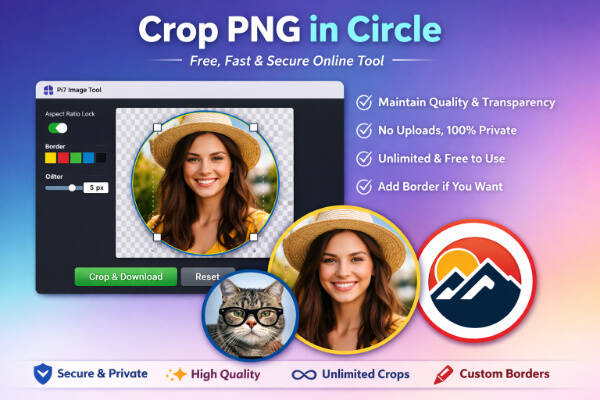
Simple Steps to Crop PNG in Circle
Cropping your image into a perfect circle takes only a few seconds:
- Upload your PNG image from your device
- Adjust the circular crop area as needed
- Enable aspect ratio lock if you want perfect proportions
- Click crop and download your circular PNG instantly
Everything happens directly in your browser, so the process is fast, smooth, and secure.
Keeps Image Quality and Transparency Intact
One of the biggest problems with many online tools is losing image quality or transparency. Our tool solves this completely.
- Maintains original PNG transparency
- Preserves image quality after cropping
- No blur, no compression loss
- Perfect for logos, icons, and graphics
If your image has a transparent background, it will remain transparent even after cropping into a circle.
Maintain Perfect Aspect Ratio (Optional)
Our tool includes an option to maintain the original aspect ratio of your image.
When enabled, it ensures:
- Balanced and professional circular results
- No stretching or distortion
- Clean and centered output
This feature is especially helpful when cropping profile photos, brand logos, or product images.
100% Private and Secure
We understand that your images may be personal or confidential. That's why this tool works entirely inside your browser.
- No image uploads to any server
- No storage or tracking
- Fully private processing
- Safe for personal and professional use
Your images stay on your device at all times.
Add Custom Border Around Your Circular PNG
Want to make your circular image stand out even more? Our tool also lets you add a beautiful border around your circle crop in just a few clicks. This feature is perfect for creating stylish profile photos, logos, icons, and social media images.
You can easily choose a border color that matches your design or brand and set the border width according to your needs. Whether you want a thin subtle outline or a bold visible border, everything is fully customizable.
Border Features You'll Love
- Add border around circular PNG instantly
- Choose any border color you want
- Adjust border width easily
- Perfect for profile pictures and logos
- Keeps PNG transparency and quality intact
The border is added cleanly around the circular image without affecting its original quality or transparency. This ensures your final PNG looks sharp, professional, and ready to use anywhere.
Why Choose Pi7 Image Tool?
Pi7 Image Tool focuses on simplicity, speed, and privacy. Our goal is to provide tools that work instantly without compromising quality or user experience.
If you need a fast and reliable way to crop PNG in circle, this tool is the perfect solution. Upload your image, adjust the circle, and download - that's it.