Crop PNG Online
Crop any PNG in your browser and keep the transparent background.
You can also crop PNG in circle shape if you need a round image.
This tool crops a PNG right in your browser. Select an image, drag the box over what you want, and press Crop & Download. The file stays a PNG, so transparency and quality do not change. Nothing you crop here ever reaches a server.
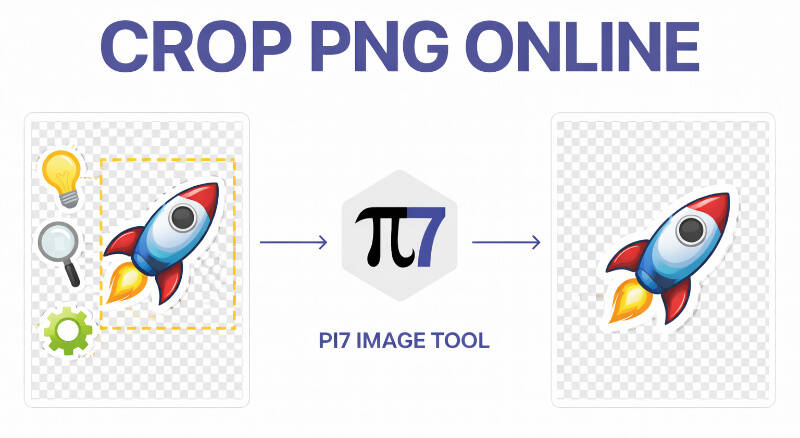
Crop a PNG in Three Steps
Cropping takes three quick steps in your browser. There is no software to install and no waiting for an upload.
- Select the PNG you want to crop.
- Drag the box over the part to keep. Turn on Maintain Aspect Ratio to lock the shape.
- Press Crop & Download to save the cropped PNG.
You can also add a colored border before you download it. Nothing uploads while you crop, so the preview updates instantly. Press Select Another Image to crop a different file without reloading the page.
Why Cropping a PNG Loses Zero Quality
PNG stores every pixel losslessly. Crop it, and the part inside your box stays pixel for pixel the same. No color shift happens. No blur gets added. Cropping only removes pixels outside the box. It does not touch color, sharpness, or the pixels you keep. Resizing a PNG can blur edges, but a crop only cuts pixels away. It never redraws or blends them. The pixels you keep never move or resample. A JPG re-compresses the image every time you save it, losing detail. For photos, use our crop a JPG tool instead.
Trim Extra Transparent Space Around a Logo
Logos, signatures, and stickers often export with wide empty padding around them. Drag the crop box tight to the visible shape to trim that extra space. The transparent background inside your box stays transparent. This only works if your PNG already has transparency. A JPG has no alpha channel for transparency. Converting a transparent PNG to JPG fills that space with a solid color. It is usually white. If your image is not transparent yet, remove the background first. People often crop transparent PNGs for profile pictures, favicons, or stickers shared on WhatsApp. A tight crop keeps the file small and the shape clean. There is no wasted transparent space left around the edges. You can crop the same PNG again later. It still will not lose quality, since PNG never recompresses the image.
We Never See the Image You Crop
We never upload your image anywhere. The crop happens right inside your browser tab, using your device's own processing power. We never receive a copy. There is nothing on our side to store or delete. That includes photos, screenshots, scanned IDs, and anything else you crop here. You do not need an account or a sign-up to use it. This works the same for a phone, tablet, or desktop browser. Close the tab when you finish, and the file is gone.
FAQ
Does the transparent background stay after I crop a PNG?
Yes. You upload a PNG and download a PNG, so transparency stays exactly the same.
Why is a cropped PNG still a large file?
PNG keeps every pixel exactly, so big dimensions make big files. Crop tighter to shrink the size.